
 ,
,

 ,
,
 ,
,

Context: This article is the practical companion to our pieces about streaming and disappearing films and series and physical PC games: access is not ownership.
It is not legal advice and not a guide to bypassing protection measures. The core idea is: choose preservable forms where possible, document what you have, and avoid leaving your whole collection trapped inside one account, app or supplier.
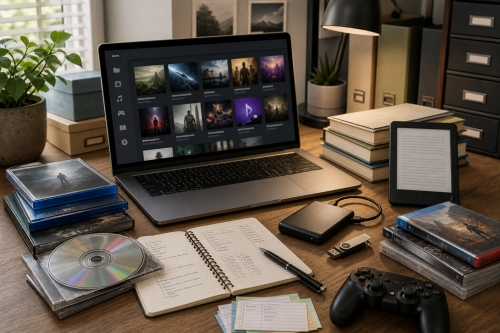
A digital collection sounds as if everything is neatly standing on a shelf. In reality it is often spread across accounts, apps, old laptops, external drives, e-readers, download links, licence keys, emails, cloud storage and a folder with the deeply reassuring name Newfolderfinal2.
That is fine. Everyone starts somewhere.
The problem begins when the collection exists only as a memory of access. An e-book sits in a reader app, a game in a launcher, a film in an account, music in a subscription and software behind a customer portal that no longer recognises your old login. You may still have invoices, cover art and excellent intentions, but not an independently usable copy.
Digital durability therefore begins with a simple question: can this work still be used if the original platform stops tomorrow?
Not everything that appears in a library or account is part of your collection. The question is always whether you have an independent file or medium, or only permission through an app.
A useful classification is:
Streaming and apps can be excellent for discovery and everyday use. Just do not stamp them as an archive in your imagination. A rental car is useful too, but nobody builds a garage for it.
Before preserving anything, you need to know what you have. That sounds boring, and yes, a little. But a collection without an inventory is mostly a search engine with guilt attached.
A spreadsheet, text file, small database or library application is enough. For each item, record at least:
For games and software, version numbers are especially important. For e-books, the edition can matter. For films and series, cut, region, audio tracks and subtitles are relevant. For music, mastering, format and artwork can all matter.
Keep purchase records, licence texts, covers, booklets, checksums and changelogs alongside the work or in a clear inventory. Not because a PDF invoice magically solves everything, but because provenance later becomes part of the value.
DRM-free does not mean rights-free. A DRM-free file can still be copyrighted and purchased only for personal use. The difference is technical: the file does not depend on a specific app, licence server or account in order to open normally.
That makes preservation much easier. Music works on multiple players, e-books can live in your own library, games with offline installers remain reinstallable and PDF manuals survive even when a manufacturer turns its documentation portal into a swamp of new logins.
Many problems begin with the word "bought" in an app. Before buying, look for words such as DRM-free, offline installer, downloadable files, watermark-free, EPUB, FLAC, PDF or standalone installer. Also read what is not being said.
A practical rule: the easier it is to use the file on a clean new system without asking the supplier first, the better it fits a durable collection.
For films and series, physical media often remains the most predictable consumer option. A DVD or Blu-ray is not perfect. Region codes, disc quality, players, menus and DRM can cause problems. Still, a disc containing the film is different from a tile in a catalogue.
Check completeness when buying physical releases. Does it contain the version you want? Are subtitles and audio tracks present? Is it a later edit, censored version, streaming cut or original cut? Does it include bonus material? For series: is the set complete, or is season three hidden in another edition because apparently the world enjoys puzzles?
For music, DRM-free downloads are often available. Preserve artwork, liner notes, purchase records and information about format and quality alongside the audio files. A folder containing only track01.mp3 through track12.mp3 is technically music, but archivally it is mostly a small cry for help.
Streaming is excellent for discovery. For works that matter to your collection, streaming alone is too fragile. Favourites deserve a form you can preserve.
E-books deserve special attention because the word "book" can sound misleadingly reassuring. A paper book can remain on a shelf. An account-bound e-book may depend on a store, reader app, DRM system, region and device registration.
Where possible, choose ordinary file formats such as EPUB or PDF. Preserve cover art, metadata, purchase record and edition information. If you make notes, check whether they can be exported. A book without your notes is still a book; a research library without notes feels as if someone pulled the sticky notes out of your head.
Watch for changed editions. Digital stores may offer a newer version without clearly preserving which version you had before. That is not necessarily bad, but for study, citations and historical preservation, version information matters.
Public-domain books and open editions are often the easiest to preserve durably. For modern commercial titles, this varies strongly by publisher and store.
Games and software are harder than films or books because a work must also be executable. That may require an operating system, runtime, driver, serial number, activation server, launcher, patch, DLC, savegame, configuration file or server component.
Therefore preserve more than the installer. Keep patches, changelogs, DLC installers, manuals, configuration information, serial numbers, offline installers, savegames and, where permitted, modding or server documentation. Also note which version worked on which system.
For games, the difference between a real offline installer and a small bootstrapper is important. A bootstrapper that downloads the rest later is not an archival copy; it is a shopping list. Useful while the store is open, rather sad once the store has been demolished.
Also check whether single-player really works without an account or server. A game can be sold physically and still depend on online infrastructure for installation, activation or execution. That was the core of our earlier article about physical PC games: the box is valuable only when its contents are complete enough to keep functioning independently.
The same applies to software. Preserve installation media, licence records, product codes, documentation, system requirements and a description of the last known working environment. For important old software, a virtual machine or disk image can sometimes be the most practical way to preserve the environment, provided the licence and law allow it.
Physical is not automatically durable. A box containing a download code is mostly cardboard with optimism; a disc containing only a launcher is not a complete collection.
When evaluating physical media, check:
A good physical release also preserves context: cover design, manuals, distribution data, technical requirements and sometimes the only remaining available version of a work.
A local copy is not a backup. An external drive on the same desk is a start, but not yet a strategy. Cloud storage can be useful, but it is also another service with terms, accounts and risks.
A simple baseline is the familiar 3-2-1 idea: multiple copies, on more than one kind of storage, with at least one copy outside the immediate machine or location. For a personal collection, that can mean a working folder, external drive and second copy in another safe place.
Check backups periodically. Use checksums for important files, note which software opens unusual formats and encrypt backups containing personal data, purchase records, account keys or notes. Keep recovery codes outside the device itself; a perfect archive behind a forgotten password is mostly modern self-parody.
Do not confuse preservation with hoarding. A folder full of untested downloads is not an archive, a screenshot of a purchase is not a copy, and a cloud folder without a local copy is not independent possession.
Do not use this as an excuse for piracy either. Right to Ownership concerns lawfully acquired works that should remain normally usable and preservable. Do not blindly trust one supplier either: companies are sold, terms change and support departments sometimes discover that 2012 was a mythical era.
Anyone preserving a digital collection is doing archive work at living-room scale. Not with white gloves and whispering, but with folders, labels, backups and a healthy suspicion of "this will always be online".
The core is simple. Choose DRM-free or complete releases where possible. Keep local copies within the limits of law and licence. Document provenance and version. Make backups. Test whether important works still open, install or play.
A durable collection does not have to be perfect. It must be understandable, verifiable and recoverable. Once a film, book, album, game or program is no longer fully dependent on one platform continuing to grant permission, it shifts from fleeting access toward something more like ownership.
That is the practical side of Right to Ownership: not trying to control everything yourself, but preventing everything you care about from being removable by someone else's catalogue change, licence change or login page redesign.
| Library of Congress | Personal archiving | Personal Digital Archiving: guidance for preserving personal digital files |
| Digital Preservation Coalition | Handbook | Digital Preservation Handbook: file formats, integrity and preservation planning |
| GOG | Games | About GOG and DRM-free game distribution |
| itch.io | Games | Creator documentation and downloadable game files |
| Project Gutenberg | E-books | Public-domain e-books in open, downloadable formats |
| Standard Ebooks | E-books | Carefully produced public-domain e-books in standard formats |
| Amazon | Kindle terms | Kindle Store Terms of Use: digital content licensing |
| Apple | Media terms | Apple Media Services Terms and Conditions: purchased content and downloads |
Copyright © 2026, ASK-Solutions


